


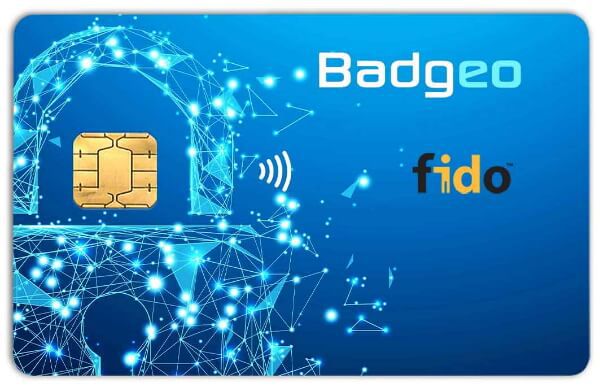
Badgeo Dual smart card (contact + contactless) for FIDO2 and FIDO U2F
The Badgeo Dual smart card for FIDO2 and FIDO U2F provides simplified, but very strong, authentication on the web and in the cloud. The standardized, physical security solutions provided by this smart card are easy to implement in office environments and mobile office environments.
You can easily register these smart cards at the website from WebAuthn.io. We recommend checking the via the BIOS port settings to see if Smart card reader Power Savings has been disabled.
Characteristics of the Badgeo Dual smart card for FIDO2 and FIDO U2F
- The Badgeo Dual smart card for FIDO2 and FIDO U2F is a dual interface card
- Werkt zowel contact als contactloos en is compatible met FIDO2 en FIDO U2F standaarden.
- It can be used with a bath reader (with or without contact), or with an NFC-compatible smartphone
- Protection against phishing (replacing threatened solutions based on SMS, OTP or TOTP)
- FIDO2 compatible with Windows 11 in conjunction with Azure Active Directory
Smart Card instead of USB
The Badgeo Dual is the solution for environments where - due to malware and security risks - the USB ports are blocked for use. Think of governments, financial institutions and healthcare facilities. The Badg5eo DUO (authentication) smart card for FIDO2 and FIDO U2F has exactly the same functions as the USB token (Winkeo FIDO2 USB-A authentication token) but comes in a smart card form.
Order the Badgeo Dual FIDO2 authentication smart card at Hart 4 Technology
Protect your digital identity with the Badgeo Dual FIDO2 authentication smart card. This powerful security solution offers superior protection against phishing and password attacks, with both contact and contactless NFC functionality. Perfect for organizations where USB ports are blocked. Order now at Hart 4 Technology and make the switch to more secure authentication.
 |
Datasheet |
FREQUENTLY ASKED QUESTIONS
The NEOWAVE Badgeo is a smart security card that combines digital and physical access in a single badge. You use it to securely log in to your computer (FIDO2) and to open doors, printers, or lockers (via the MIFARE DESFire chip). No more separate cards or passwords. Everything works securely and quickly through one card, perfect for modern businesses looking to take control of their access management.
The NEOWAVE Badgeo smart card combines two powerful technologies as standard: FIDO2 for logical access and MIFARE DESFire for physical access. This way, you can log in securely and passwordlessly to your laptop or cloud apps such as Microsoft 365 and Google Workspace, protected against phishing and data leaks. At the same time, you use the same card to open doors, activate printers, or register your presence. Whether you choose NFC or a DUAL card (NFC + contact), you always have one card that handles everything. Digital and physical access – simple, secure, and always at hand.
In practice, it often happens: one card for the door, another for the printer, and then separate tokens or passwords to log in to your laptop or cloud environment. That’s inconvenient, error-prone, and wastes unnecessary time.
The NEOWAVE Badgeo smart card offers the solution. This smart card combines FIDO2 for secure, passwordless login with MIFARE DESFire for physical access control. So you use just one card to log in to Microsoft 365, Google Workspace, or your workstation, and to open doors, activate printers, or register attendance.
Every Badgeo card with FIDO NFC or dual interface comes standard with a DESFire EV emulation and features 8K of free memory space. This space is empty and unformatted, allowing you to fully configure the card according to the requirements of your access control system.
The card works with almost all modern access control systems that support EV1, EV2, or EV3, such as those from Honeywell, NXP, NEDAP, SALTO, and many other brands. You can easily create files and sectors yourself with a tool like NXP RFIDDiscover. Don’t have an open API or are you using a proprietary system? No problem, you can simply encode the cards locally if that’s more convenient.
Need help? Contact your supplier or an IT service provider with expertise in DESFire technology.
The card is flexible, compatible and quick to deploy – exactly as you need it.
When the Badgeo FIDO2 MIFARE DESFire card is not recognized by the NEDAP AEOS system, this is often due to an incorrect ATAQ value or a non-optimized transparent config on the AEOS side. This issue can be resolved in software by adjusting the ATAQ value through a custom transparent configuration in the AEOS platform.
Solution steps
- Check if the AEOS controller and reader are set to transparent mode, so all card data is securely processed in the controller.
- Adjust the ATAQ value in the AEOS configuration. This can be done via the AEOS management environment or with a custom transparent config, ensuring the MIFARE DESFire chip is read correctly.
- Restart the AEOS controller after making the changes to ensure proper operation.
- Test the Badgeo card again on the reader.
If problems persist, contact your Nedap AEOS supplier or system administrator for support with adjusting the transparent config and changing the ATAQ value.
For a business environment, always enable Enforce Attestation. This is the mandatory base layer that cryptographically verifies that a FIDO2 key genuinely originates from the specified manufacturer. Only then can you fully trust the AAGUID information reported by a key. Without this setting, an AAGUID whitelist is pointless, because a fake key can simply impersonate a trusted model.
Next, add an AAGUID whitelist if your organization works with standardised tokens such as a Badgeo (smart card) or Winkeo (USB). The Attestation Certificate Key Identifier (U2F) does not need to be configured manually. Entra ID handles this automatically via the FIDO Alliance Metadata Service, provided the vendor is registered there (like NEOWAVE products from firmware v2.1.0008 and later - March 2026).
Badgeo v2.1.0008 (Badgeo)
√ AAGUID (FIDO2): a7fc3f84-86a3-4da4-a3d7-eb6485a066d8
√ Attestation Certificate Key Identifier (U2F): cc06122a00c287f69e676eca0e0292713f5cdb3b
Badgeo v2.1.0005 (Badgeo)
√ AAGUID (FIDO2): c5703116-972b-4851-a3e7-ae1259843399
√ Attestation Certificate Key Identifier (U2F): 2fea8f357c7a54a57f45cda72fafb34d1d449fd4